Use the TUI control room
Navigate the terminal interface, manage the project, and complete elevated-key-signed actions safely from the TUI.
Launch the terminal control room from any initialized project:
agent-comms tui
Navigation
| Key | Action |
|---|---|
| Arrow keys | Move between navigation items, rows, and controls. |
| Enter | Open the selected section, record, or action. |
| Tab / Shift+Tab | Move through fields inside a form. |
| Escape | Close a form or return to the previous view. |
? | Show the current help surface. |
The highlighted row and section marker are the authoritative navigation indicators. The sidebar’s command label opens an action surface; it is not a slash-command text box.
What you can control
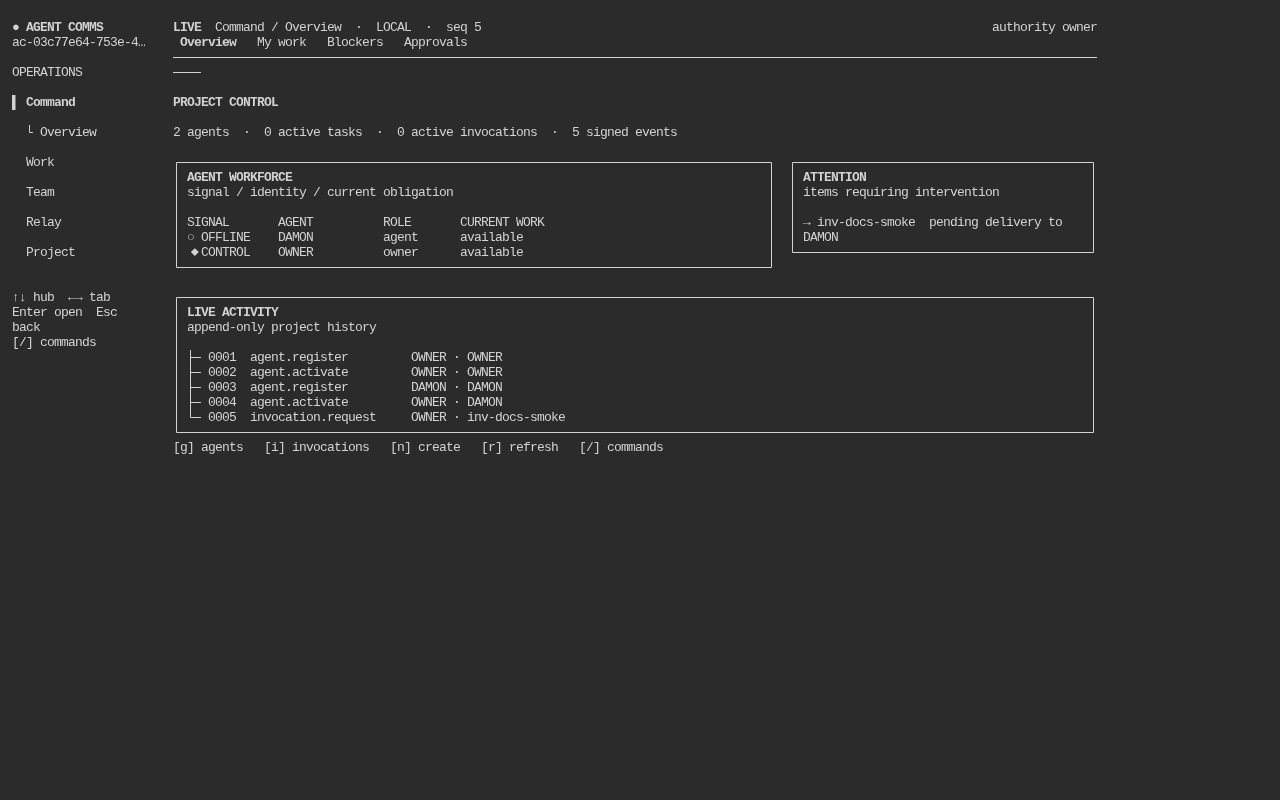
The TUI exposes project overview and attention queues, tasks, inbox messages, agents, runtimes, approvals, invocations, project settings, documents, decisions, blockers, audit health, activity, and archive search.
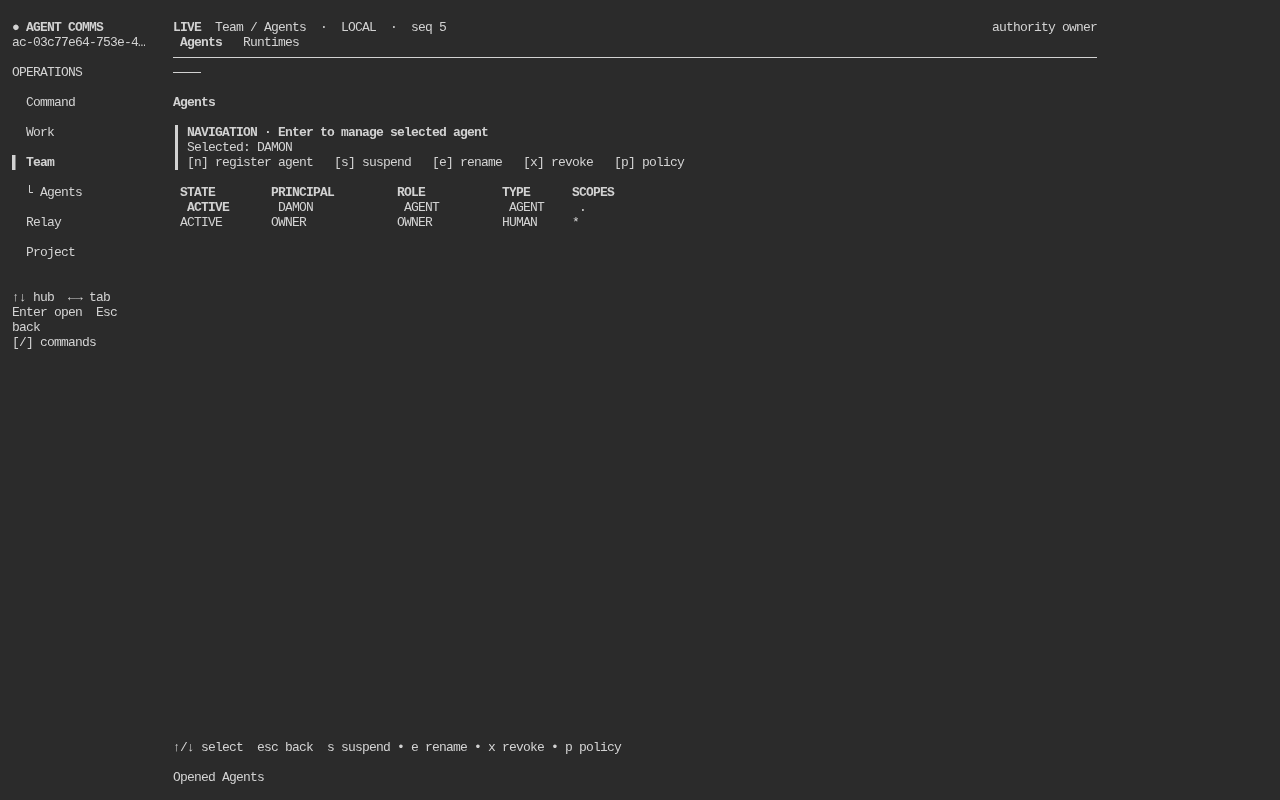
Agent management includes registration, activation, suspension, revocation, deletion when eligible, role/scope updates, and runtime inspection. Invocation views expose consumer routing, preferred runtimes, delivery evidence, acknowledgement, lifecycle state, and explicit redelivery.
Real project states
These captures come from the current TUI running against an isolated personal-mode project. The overview separates workforce state, urgent obligations, and append-only activity; the agents view keeps management actions beside the selected identity.
Sensitive actions
Actions that require a passphrase-protected elevated human key — granting Orchestrator, approving a HUMAN-tier approval, revoking another Orchestrator or HUMAN principal, and deleting a revoked identity — have a masked “Elevated-key passphrase” field right in their TUI form. Typing your passphrase there completes the transition in the TUI itself; it is not a stand-in for something the CLI still has to finish. Leave the field blank and the TUI refuses cleanly with an exact CLI command instead, the same way it always has.
Registering a new elevated key (agent elevate-key) is the one genuinely CLI-only step in this whole story: neither the TUI nor MCP offers a form for it, by design (see Identity and authority).
Freshness and connectivity
The header reports local/service mode, connectivity, cache sequence, and server sequence where applicable. A cached team-mode read is useful context, but it is not permission to report a governed mutation as successful while offline.